 Arignote Timetable
Features
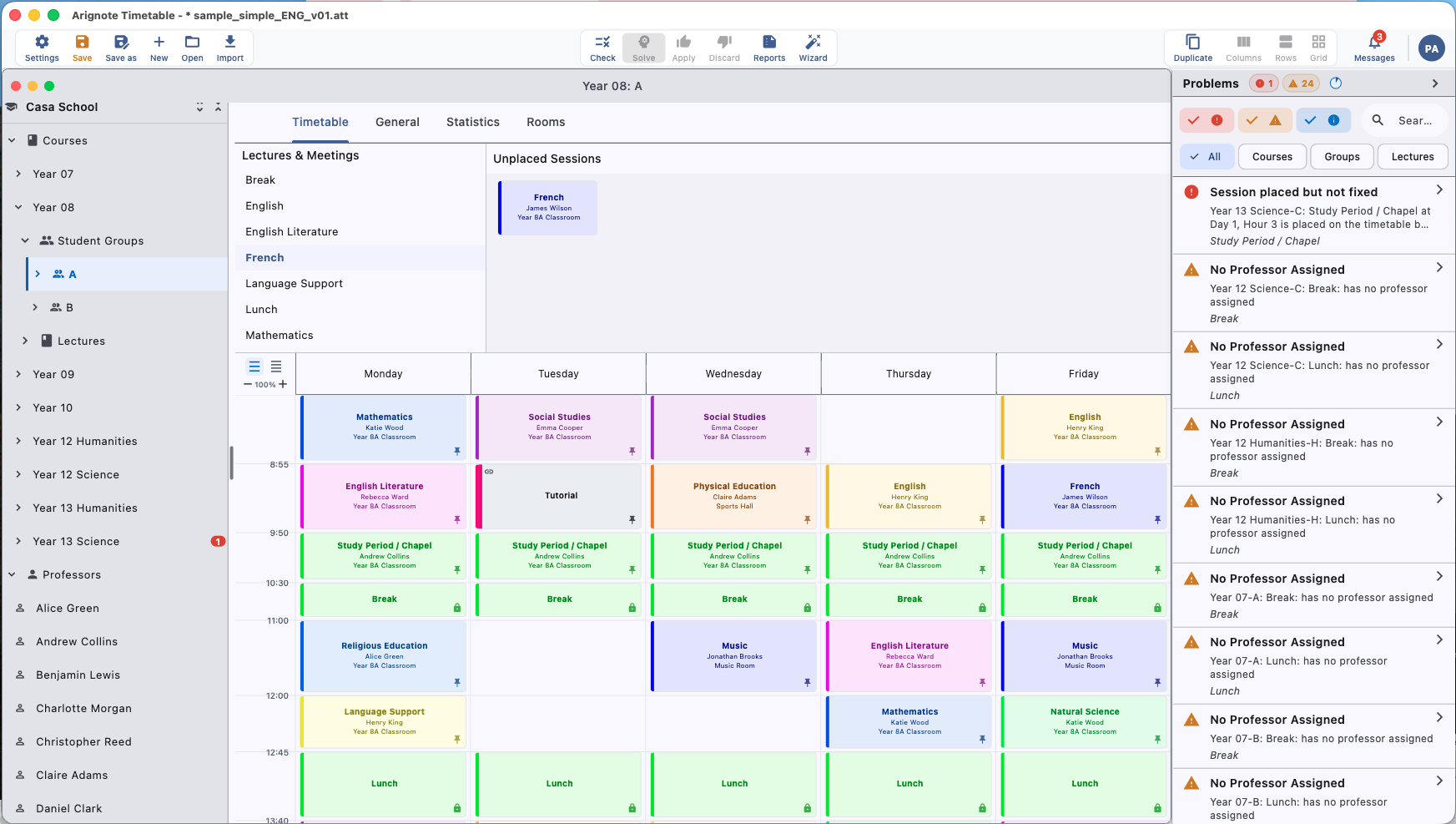
Arignote Timetable covers every stage of the school scheduling workflow. Below is the complete feature set — from the entities you define to the timetables you print.
Scheduling Entities
Everything that plays a role in your timetable is modelled as an entity. Build your complete school structure before the solver runs — changes are instant and non-destructive.
Professors
- Name, contact details, and subject specialisations
- Availability windows — block out days or periods the teacher cannot work
- Maximum sessions per day and per week
- Mandatory free periods (e.g. preparation time)
- Soft preferences (wishes) — preferred days, preferred rooms, preferred time slots
Rooms
- Capacity — maximum number of students per session
- Room type and category — group compatible rooms (labs, gymnasia, computer rooms)
- Availability windows — mark rooms as unavailable for maintenance or events
- Room categories for automatic compatibility matching with course requirements
Courses and Student Groups
- Courses with subject, level, and teacher assignments
- Student groups — year groups, streams, and elective splits
- Combined sessions — merge multiple groups into one session
- Parallel tracks — ensure groups in the same year do not clash
- Course lectures — define session length (1, 2, or more periods) and weekly frequency
Constraint Solver
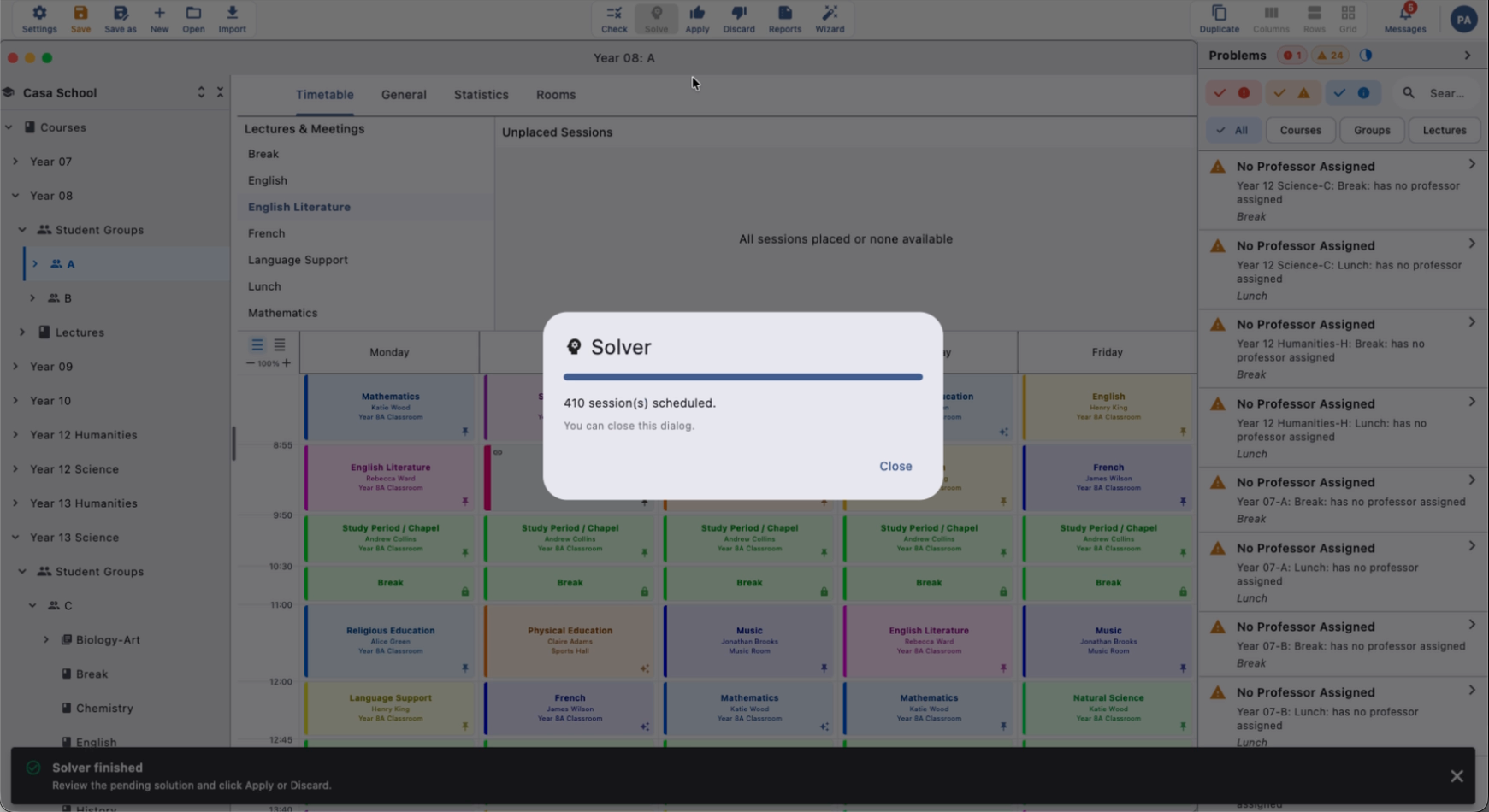
The solver is the engine that turns your data into a working timetable. It is the most sophisticated component in Arignote — and the one that saves you the most time.
- Graph-based decomposition — breaks large problems into manageable clusters for speed
- Constraint propagation — eliminates impossible placements before searching
- Optimisation pass — improves solution quality after initial placement
- Hard constraints enforced absolutely — room double-bookings never occur
- Soft constraints (wishes) maximised — teacher preferences honoured where possible
- Sub-minute solving for most schools; under five minutes for the largest institutions
- Clear infeasibility reporting — if no solution exists, the solver tells you exactly why
Real-Time Conflict Detection
Every edit you make is validated instantly against all active constraints. You see conflicts as they arise — not after printing.
- Room double-booking detection
- Teacher scheduling conflicts (teacher in two rooms at once)
- Student group clashes (group attending two sessions simultaneously)
- Capacity violations (more students than the room holds)
- Availability violations (session placed outside teacher or room availability)
- Frequency violations (more sessions per week than the course requires)
- Colour-coded conflict indicators — red for hard conflicts, amber for soft constraint violations
User Experience
Undo and Redo
Every action is undoable. Experiment freely — add entities, move sessions, change constraints — and roll back anything with ⌘Z / Ctrl+Z. Unlimited undo history per document session.
Auto-Save and Backup
Your work is saved automatically in the background. A rolling backup file is maintained so that even an unexpected shutdown cannot cause data loss. You can also save explicitly at any time and use Save As to create named snapshots.
Dark Mode
Full dark mode support on all platforms — follows your system preference automatically or can be toggled manually. Every element of the interface is designed for both light and dark contexts.
Eight Interface Languages
- English
- Spanish (Español)
- Catalan (Català)
- French (Français)
- German (Deutsch)
- Italian (Italiano)
- Estonian (Eesti)
- Portuguese (Português)
Export
PDF Export
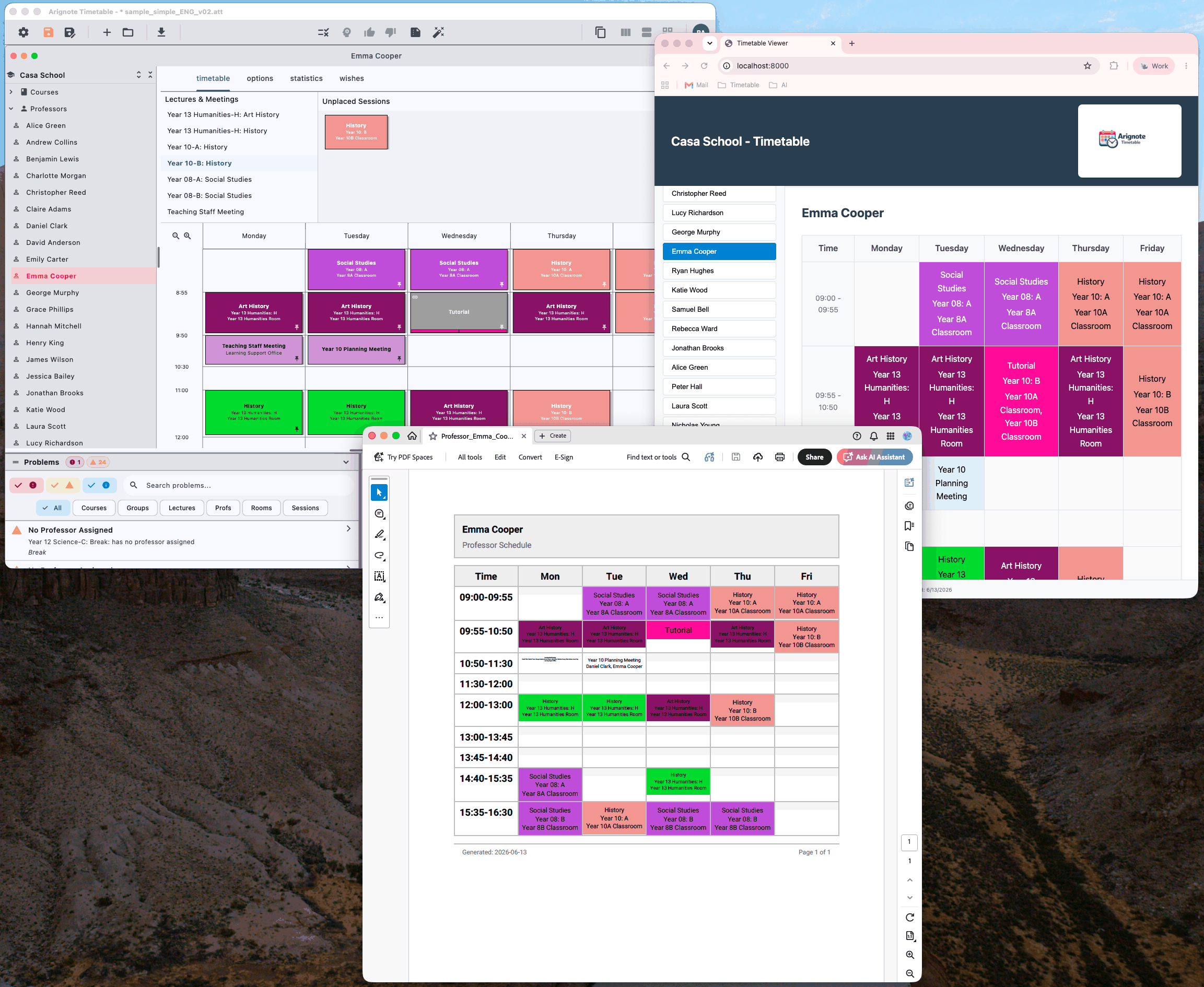
- Export timetables for individual teachers, rooms, student groups, or the entire school
- Professional layout with school name, date, and grid formatting
- Optimised for A4 printing — fits on one page per entity
- Generated entirely on-device — no internet connection required
HTML Export
- Self-contained HTML file with embedded CSS — no external dependencies
- Mobile-friendly layout suitable for publishing on your school website
- Covers all teachers, rooms, and student groups in a single export
- Customisable colours to match your school identity
Security and Privacy
- GDPR compliant — data processed and stored within the EU (AWS eu-west-1, Ireland)
- Two-factor authentication (TOTP) for all accounts
- TLS 1.2+ encryption in transit; AES-256 at rest
- No third-party data sharing or data selling
- Account deletion — request full data removal at any time from account settings
- Data export — download all your data in machine-readable format